Narrated lessons for K-12 schoolsEvery lesson narrated,
Every lesson narrated,
every question
answered.
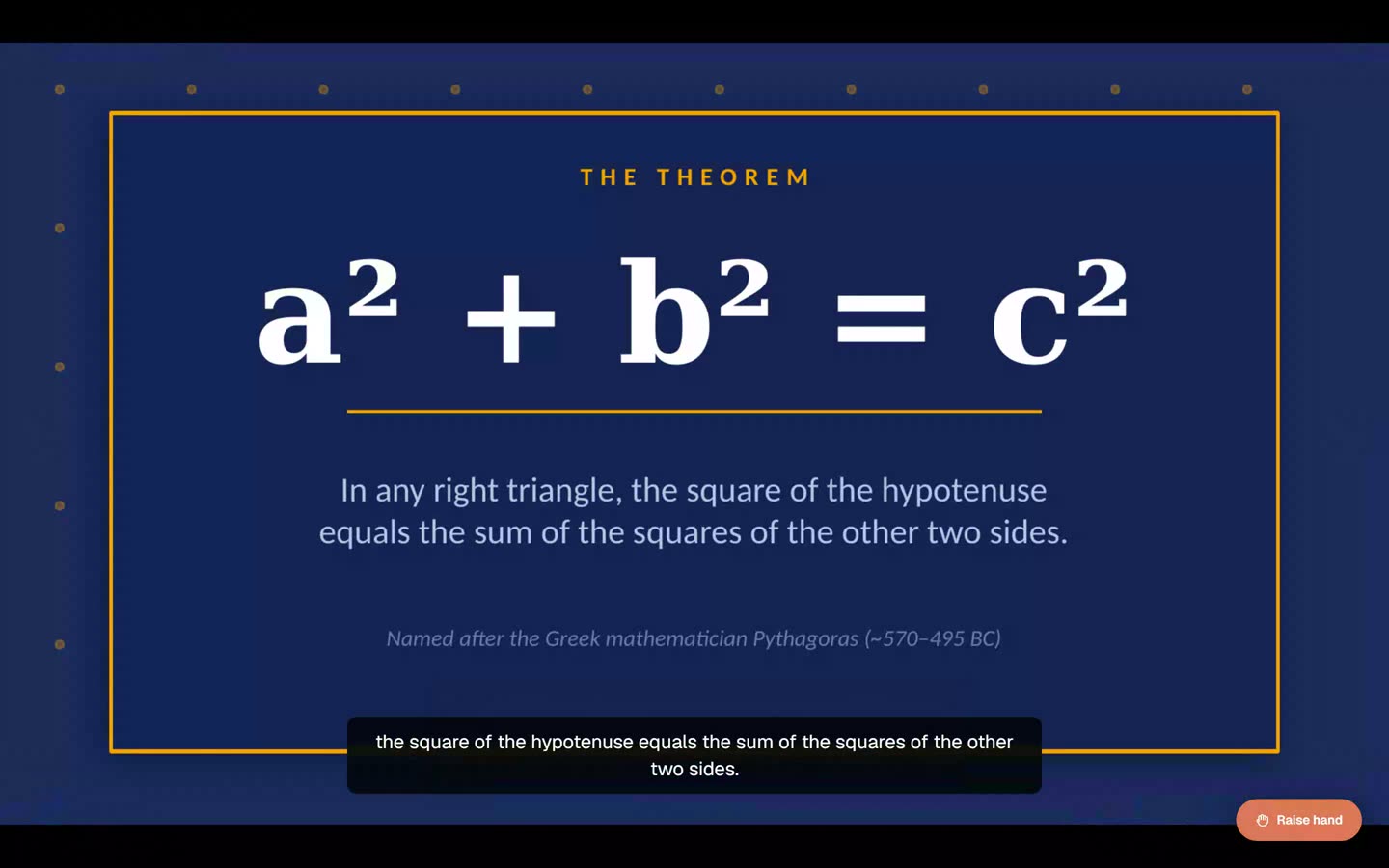
Slides become narrated lessons. Students raise a hand and get an answer in real time, on the slide. Teachers see every question, and which slide it was asked on.
After a lesson
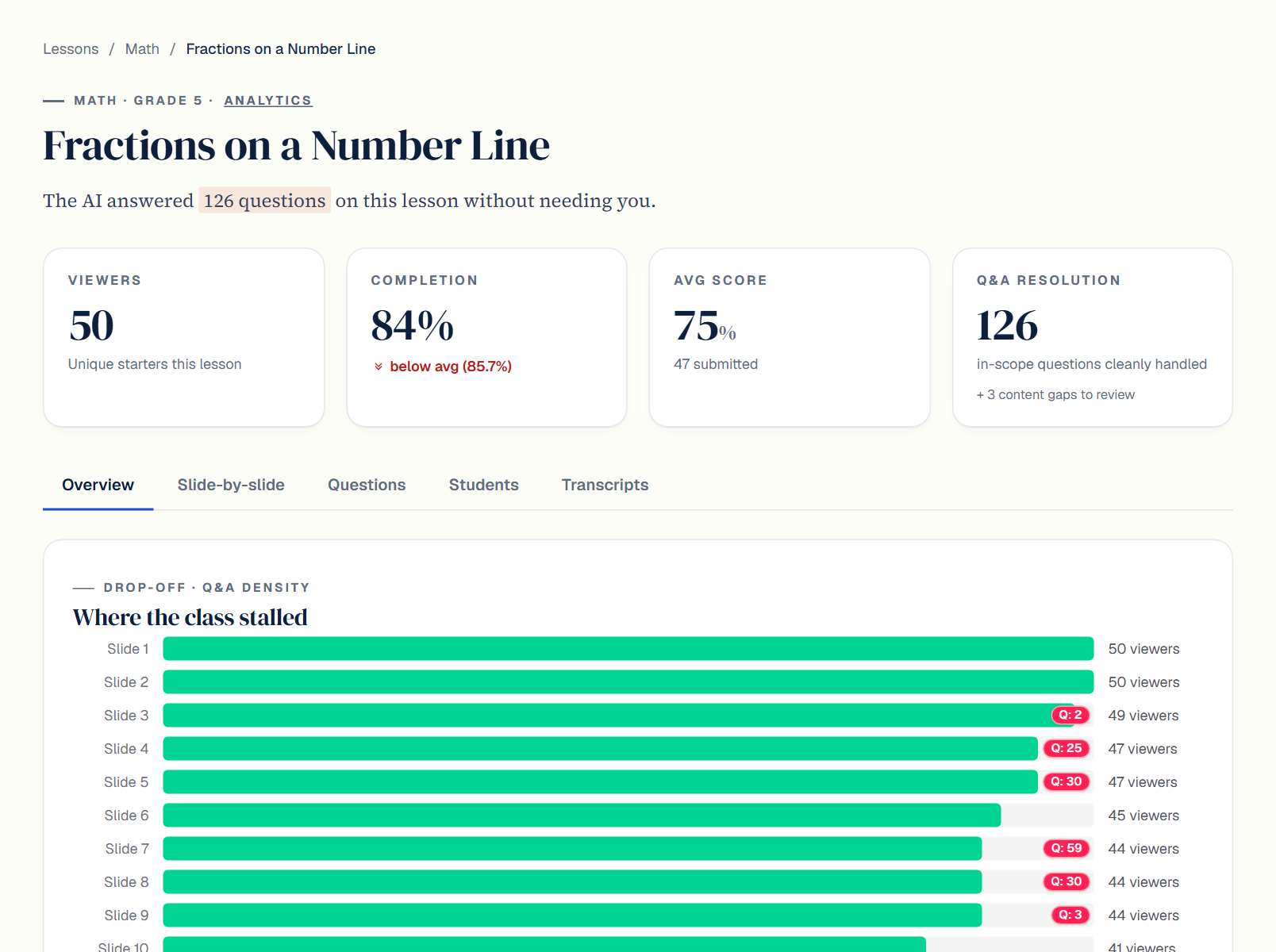
What the teacher sees after a lesson.
Every question a student asked, the slide it was asked on, and where the class slowed down.
A voice for every lesson
Lessons are narrated in a clear catalog voice by default. A teacher who prefers to can record 90 seconds and use their own voice instead. Either way, the teacher approves each draft before students hear it.Existing slides, unchanged
Teachers upload the PowerPoint, Google Slides or PDF they already teach from. Titles, order and speaker notes stay as they are.Questions answered on the slide
A student raises a hand and asks out loud. The answer stays on that slide's topic and at grade level, in the same voice as the lesson.Where the class stalled
For each lesson: who watched, how far they got, which slides drew the most questions, and the transcripts behind them.The same lesson for absent students
A student who missed class watches the same narrated lesson later and can ask the same questions.Sign-in the school already has
Clever, ClassLink or Google for sign-in and rosters. Canvas through LTI 1.3.Who it is for
For teachers, students and school leaders.
For teachers
- The teacher's curriculum and pacing, and their own voice if they want it
- Reaches the students too shy to raise a hand
- Shows who is struggling before the test
- Every draft is the teacher's to approve before a student sees it
For students
- Asks a question at any slide, out loud or typed, without the whole class listening
- Gets an answer on that slide's topic, at grade level
- Catches up on a missed lesson at home and can ask the same questions
- Homework, flashcards and voice practice made from the lesson
For school leaders
- Engagement and question data for every class
- A missed lesson is watched later, not skipped
- When a teacher is out, the lesson isn't
- FERPA and COPPA controls documented before a pilot; VPAT on request
How it works
Three steps from slides to a real classroom.
One voice, one upload, one class.
- Pick a voiceChoose a voice from the catalog. A teacher who wants their own can read a 90-second passage instead; nothing requires it.
- Upload content, or generate itDrag in slides, PDFs, or a doc, with structure and speaker notes preserved. Or describe the lesson and review a generated draft.
- Publish to a classAssign the lesson. Every slide is narrated, and students watch, listen, and ask questions on any device.
Sign-in and rosters through Clever, ClassLink or Google. Canvas through LTI 1.3.FERPA and COPPA controls documented before a pilot. VPAT on request.
See it with slides from your school.
Book a thirty-minute call. We walk through the demo school, load a deck one of your teachers already uses, and answer questions about rollout and student data.